



How Gutenberg to Elementor Works
Paste a WordPress URL
Enter a public Gutenberg page, full site editing theme, block theme demo, or WordPress page.
Detect Gutenberg blocks
We detect block editor structure like groups, covers, columns, buttons, headings, and images.
Export to Elementor
Generate and download an Elementor JSON file built from the detected Gutenberg structure.
Edit in Elementor
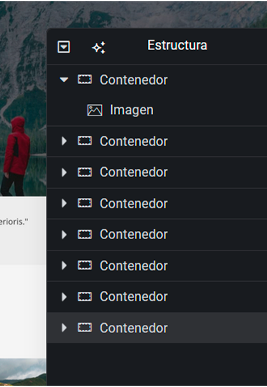
Import the JSON into WordPress and edit the converted page with native Elementor containers and widgets.
Need to convert websites, HTML or images too?
See all Convert to Elementor options and pick the workflow that matches your source.
Explore Convert to Elementor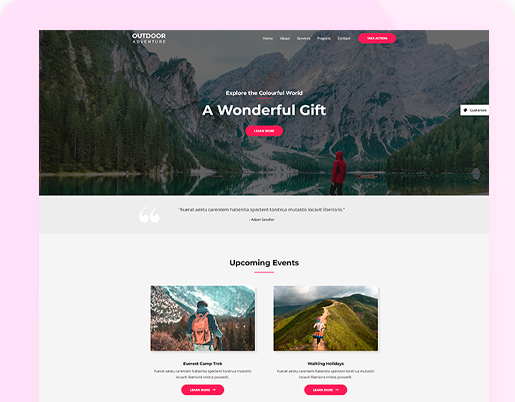

What Gutenberg Blocks Can Be Converted
Gutenberg pages are built from WordPress Block Editor blocks: Group, Cover, Columns, Column, Heading, Paragraph, Button, Image, Spacer, Navigation, Social Links, template parts, block themes, and Full Site Editing layouts.
Web2Elementor reads the rendered WordPress page and converts the visible block structure into Elementor JSON with native containers and widgets where possible.
Move a Gutenberg Page Into Elementor Without Rebuilding It From Scratch
Web2Elementor helps you convert a public WordPress Gutenberg page, Block Editor layout, or block theme demo into an Elementor JSON file you can import into WordPress. Instead of manually rebuilding groups, covers, columns, headings, images, buttons, and reusable block sections, the converter reads the rendered page structure and recreates it with Elementor containers and editable widgets where possible.
Use it when you are migrating a client site from the WordPress Block Editor to Elementor, testing a block theme redesign, or reusing an existing Gutenberg page as the starting point for a new Elementor layout. After export, import the JSON into Elementor and continue editing the converted page inside WordPress.
- Copy a public Gutenberg or WordPress page URL
- Export a native Elementor JSON file
- Import it into WordPress and edit in Elementor



Gutenberg Conversion Pricing
Credits work across all Web2Elementor tools, the Chrome extension and the WordPress plugin.
- Up to 6 editable Elementor pages
- Use them in every tool, the Chrome extension and the WordPress plugin
- Pay once — credits never expire
- Failed pages are never charged
- Up to 16 editable Elementor pages
- Use them in every tool, the Chrome extension and the WordPress plugin
- Pay once — credits never expire
- Failed pages are never charged
- Up to 26 editable Elementor pages
- Use them in every tool, the Chrome extension and the WordPress plugin
- Pay once — credits never expire
- Failed pages are never charged
1 credit = 1 page from a website URL, Elementor or Gutenberg · 2 credits = 1 page from HTML, an image, Wix, Squarespace or Lovable.
WordPress sites moving from Gutenberg to Elementor
7,000+ pages converted·8,000+ accounts
“I just pasted a website URL into Web2Elementor and within seconds I had a ready-to-use JSON for Elementor. Everything was well structured and easy to import, so I could jump straight into customizing instead of rebuilding from scratch. It’s one of those tools that simply saves you time on every project.”
“I took a screenshot of an AI-generated site, uploaded it to Web2Elementor, and boom: I got the JSON file to import directly into my Elementor site.”
“I completed two test HTML page transfers, and everything was transferred flawlessly. It's both surprising and delightful—the entire style of the elements, with their gradient transitions and relative positions, is spot-on. Bravo! I tried other services, and their results were only partial enough to warrant manual completion. I'll try transferring more complex websites, and if everything goes as smoothly, I'll update my review. If anything goes wrong, I'll let you know.”
Gutenberg to Elementor FAQ
Yes. Web2Elementor converts public WordPress Gutenberg and Block Editor pages into Elementor JSON by reading the rendered block layout, styles, images, and text.
Paste the public URL of a Gutenberg page, run the conversion, export the generated Elementor JSON, import it into WordPress, and edit the converted page in Elementor.
Yes. Gutenberg is the WordPress Block Editor, and this converter is built for common Block Editor layouts and block theme pages.
Many public block theme and full site editing pages can be converted. Header, footer, navigation, sliders, and plugin blocks should be checked in the preview because every theme renders blocks differently.
The strongest support is for common blocks such as Group, Cover, Columns, Column, Heading, Paragraph, Button, Image, Spacer, Navigation, Social Links, template parts, block themes, and full site editing layouts.
Yes. The free version of Elementor is enough. The recommended template uses Elementor V4 (4.3 or later, Atomic Elements), and your download also includes a v3 folder with a compatibility version for Elementor V3 (minor spacing details may differ). Update Elementor from Plugins → Installed Plugins before importing.
This page is for Gutenberg to Elementor conversion. It converts WordPress blocks and Block Editor pages into Elementor JSON, not Elementor pages back into Gutenberg.
Accuracy depends on the source theme and blocks. Common Gutenberg layouts convert best; complex plugin blocks, sliders, and custom JavaScript may need manual review after export.
Yes. Your download includes a v3 folder with the same page built with classic Elementor containers and widgets, so you can import it in Elementor V3 and edit it with the standard workflow. It is a best-effort compatibility version: minor spacing and sizing details may differ from the recommended template.
Convert Gutenberg, Block Themes and FSE Pages