




Convert Any Website to Elementor
Choose your input — URL, image, or HTML — and get a fully editable Elementor template in minutes. No code. No headaches.
Full Walkthrough
Choose Your Conversion Tool
Go to web2elementor.com and pick the tool that fits your source: URL2Elementor to convert a live website, Img2Elementor to convert a design screenshot, or HTML2Elementor to convert raw HTML code.
AI Analyzes Your Content
Our AI engine processes your input — fetching the full page HTML (URL), analyzing the image with vision AI (screenshot), or parsing the DOM (HTML code). It detects layout structure, typography, color palette, images, and content sections.
Elementor JSON is Generated
AI produces fully Elementor-compatible JSON that recreates the original design as native containers and widgets — headings, text, images, buttons, icons — with responsive settings for desktop, tablet, and mobile.
Check the Preview
See the result at desktop, tablet and mobile widths before converting. Text, colors and layout are edited in Elementor after you import the JSON.
Export to Elementor
Click "Export to Elementor" to download your .json template file. This is your complete, ready-to-import Elementor page — compatible with both Elementor Free and Pro. No coding needed.
Open Your WordPress Site
Switch to your WordPress site and open the WP Admin dashboard where you will integrate the exported Elementor template.
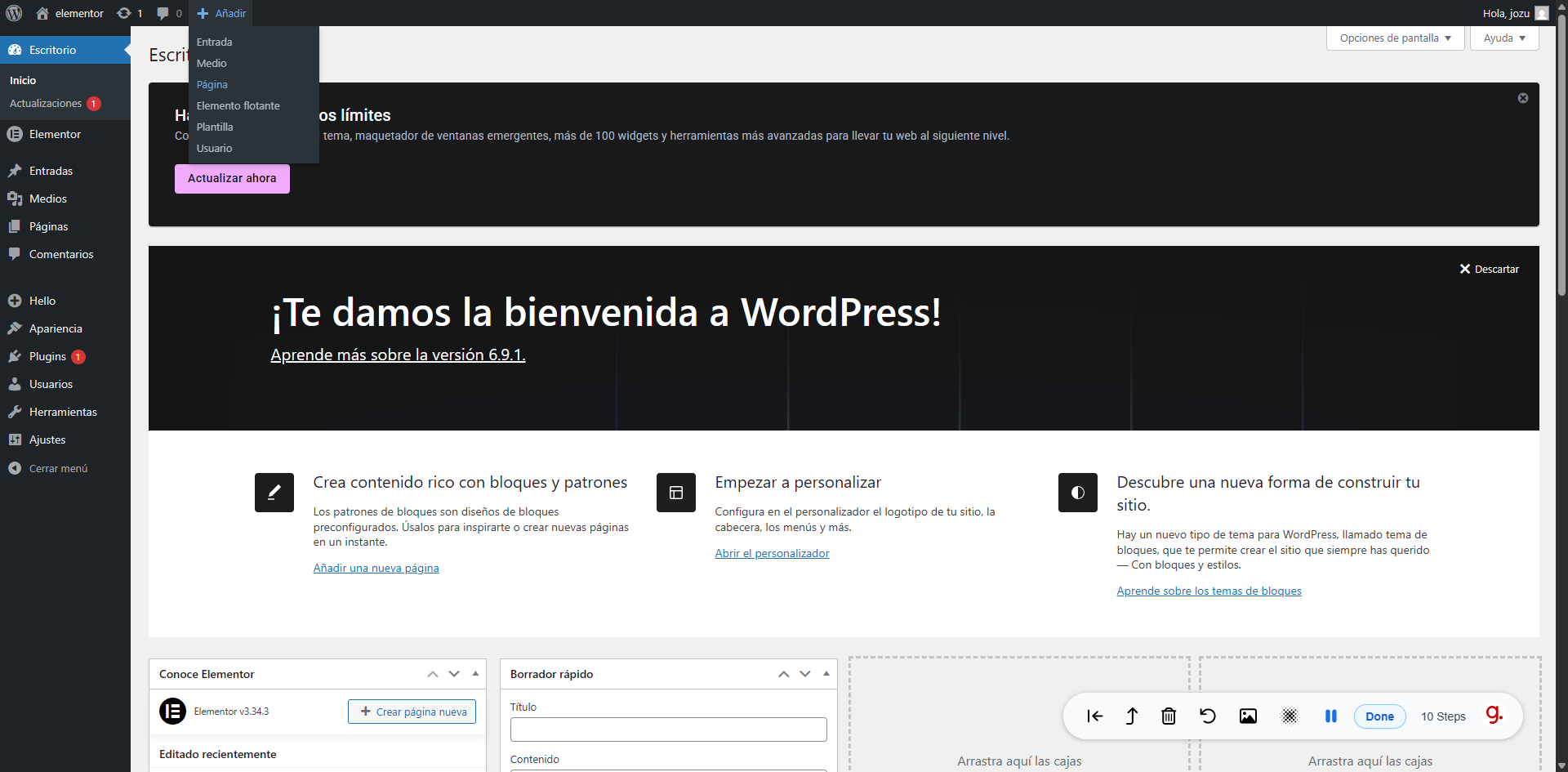
Navigate to Pages
In WordPress admin, click the Pages menu and open the page where you want to use the converted Elementor template.
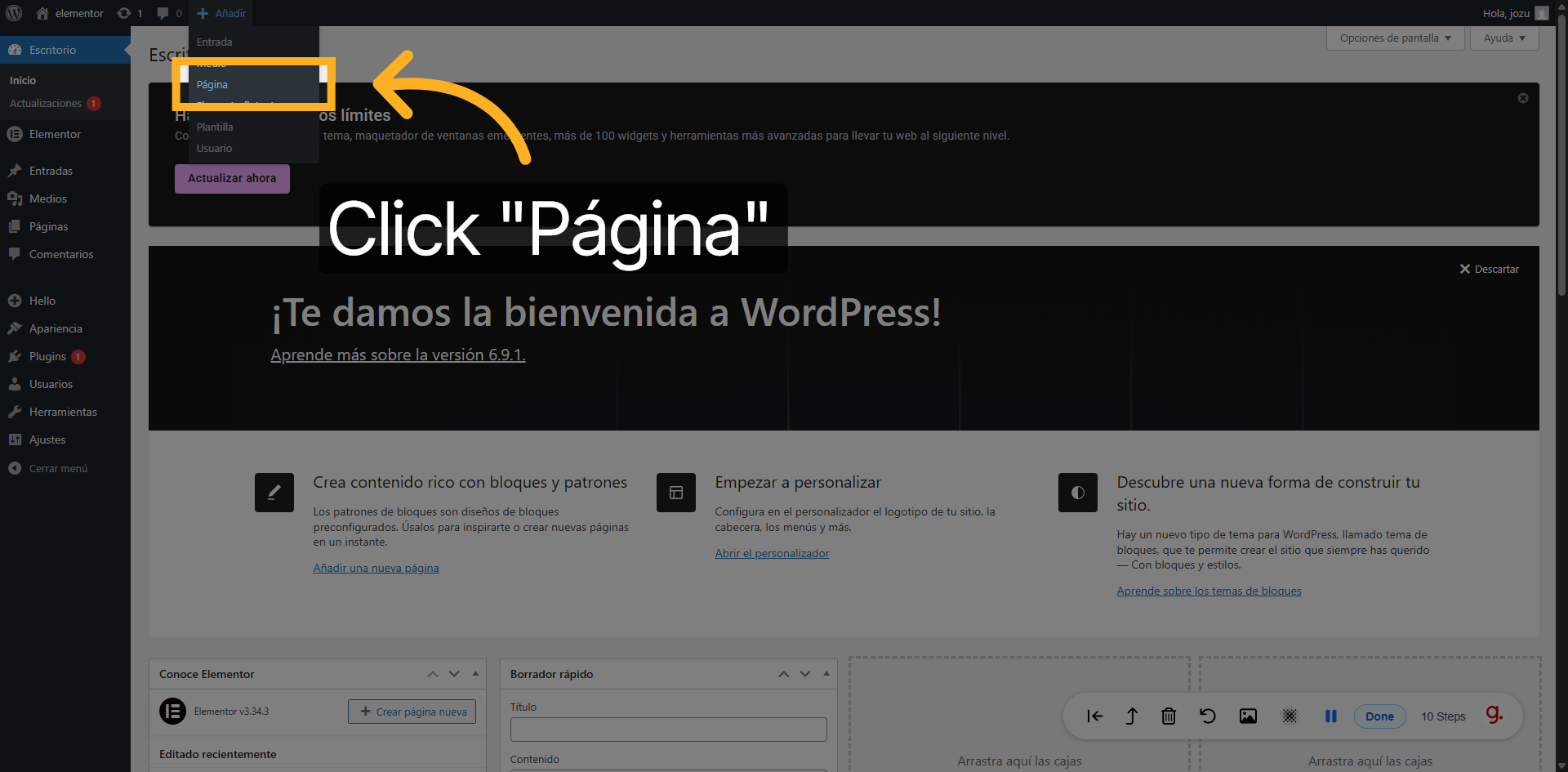
Edit with Elementor
Click "Edit with Elementor" on your chosen page to open the full Elementor page builder where you will import the template.
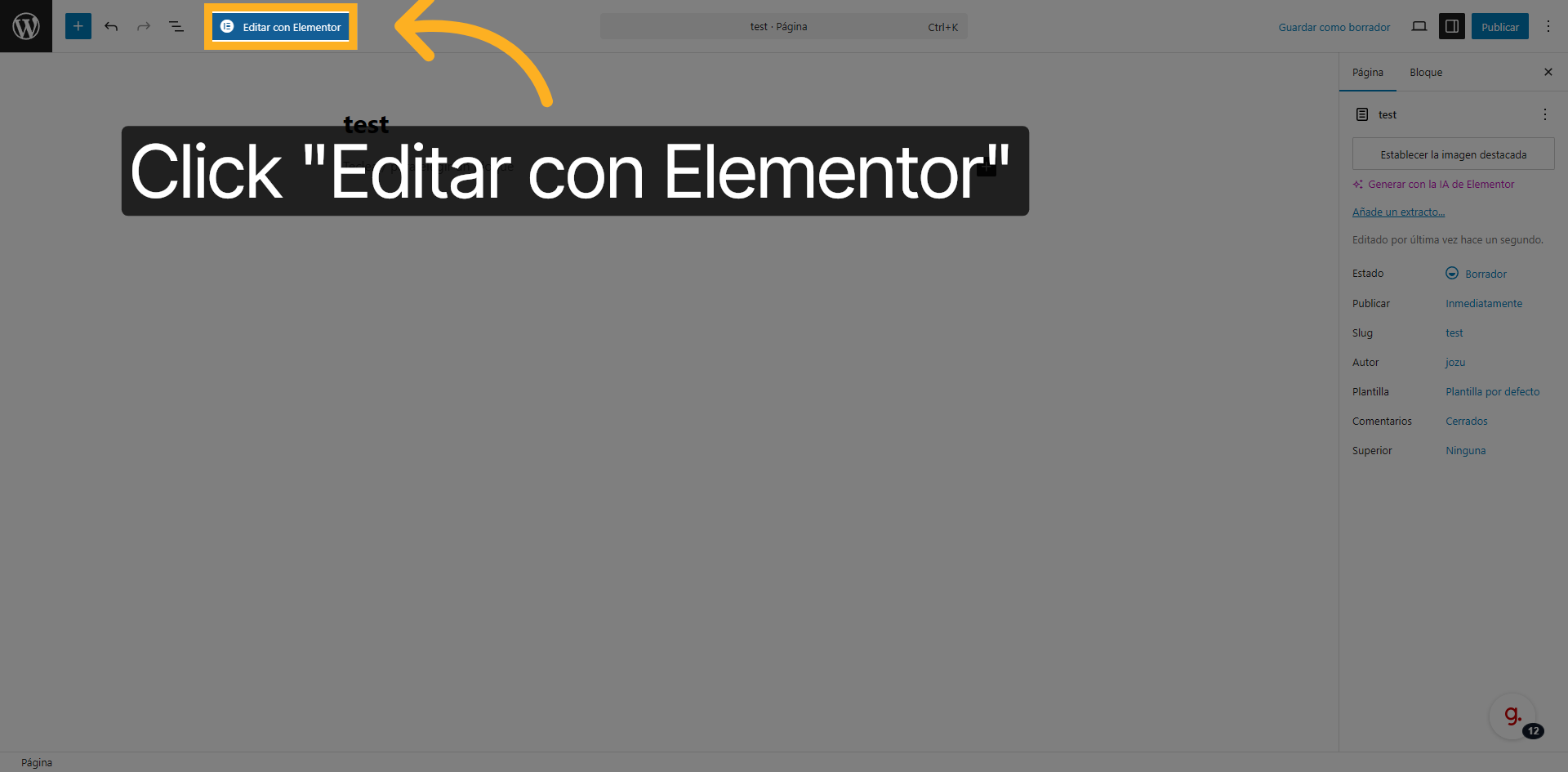
Open Saved Templates
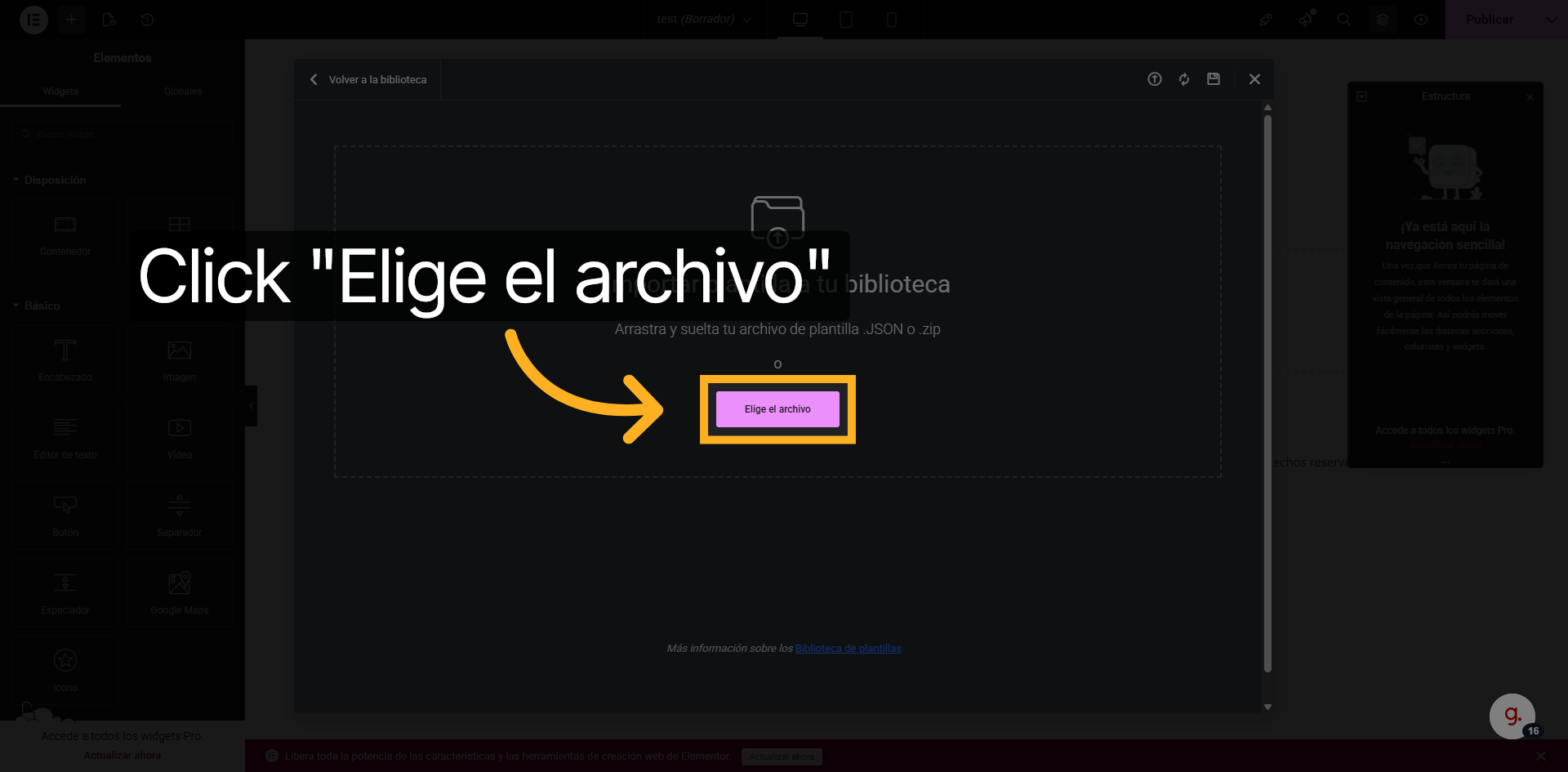
In WordPress, go to Elementor → Editor → Templates → Saved Templates, click Import Templates and select the .json file you downloaded.
Import & Publish
Upload the .json file, then open your page with Elementor and insert the template. Your converted page is now live inside Elementor — fully editable and ready to publish.
Paste the Address of the Site
Instead of a single page, paste the address of the whole site. This works for Wix Classic, Squarespace 7.1 and WordPress sites built with Elementor; any other site converts page by page.
See the Pages and the Price
We list the pages we find, up to 15 per site, and show the total before anything is charged: 2 credits per page for Wix Classic and Squarespace 7.1, 1 credit per page for Elementor sites. Untick any page you don't need.
Confirm Once
Credits are charged once, from the same balance as single pages. The pages convert one after another while you watch, and any page that fails is refunded automatically.
Get One ZIP With Every Page
Download one ZIP with an Elementor JSON per page and a list of what each page does not carry over. If the conversion is interrupted, we email you the pages that were ready and refund the rest.
Ready to convert your first page?
Paste a URL, upload a screenshot, or paste HTML — and get an Elementor template in minutes. Free, no credit card required.
🚀 Try it free