

Web2Elementor Chrome Extension
Turn the page you are viewing into an Elementor starting point directly from Chrome. Capture live pages, sections, HTML references and styles, then export an Elementor JSON file for WordPress.
Landing page hero
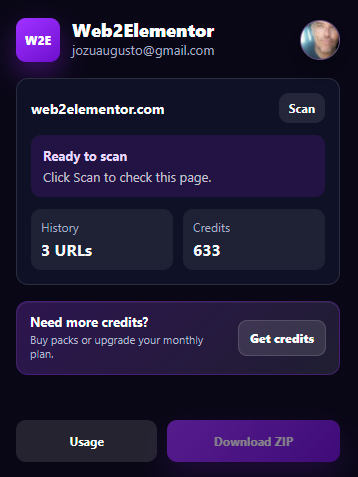
Ready to convert
Detected page structure and responsive data
Why use the extension instead of the web app?
The web app is still the right choice for public URLs and pasted code. The Chrome extension is faster when you are already viewing the page and want to scan the rendered HTML, CSS and section structure from the browser.
Convert pages you are already viewing
Open the extension on the active tab and start from the rendered page instead of copying URLs between tools.
Capture sections without copying URLs
Select a hero, footer, pricing block or card grid and convert only that section into an Elementor starting point.
Read rendered HTML and CSS from Chrome
Use browser-rendered layout, styles and responsive information from pages you are allowed to access in Chrome.
Export Elementor JSON
Generate an Elementor-compatible JSON import file and continue editing the converted page inside WordPress.
Use the same credits
The extension uses your Web2Elementor account, so credits work across URL2Elementor, HTML2Elementor and Img2Elementor.
You control when it scans
The extension acts when you open it and start a scan. It does not monitor your browsing in the background.
One extension, two conversion paths.
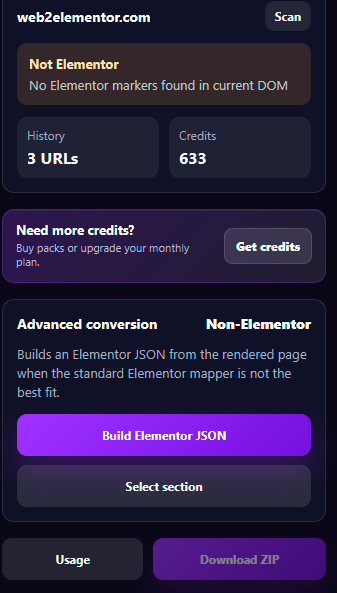
Web2Elementor chooses the right conversion method depending on the page you are scanning. You can use the normal Elementor path, or force the visual conversion method when a page needs it.
Elementor pages
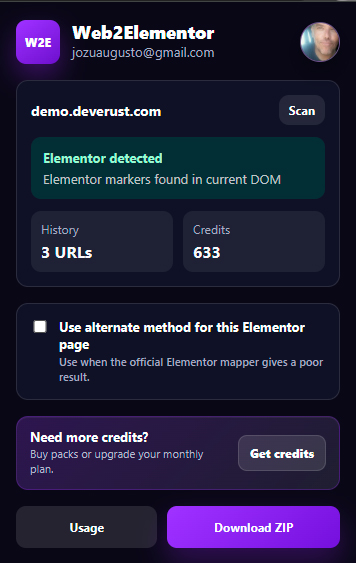
When the page is already built with Elementor, the extension can use the Elementor-aware conversion path to rebuild an editable template from the original Elementor structure.
- Detects Elementor pages directly from Chrome.
- Creates an Elementor import file for WordPress.
- Uses your Web2Elementor account and credits.
Regular websites
For non-Elementor pages, the extension captures the rendered browser layout and sends it to Web2Elementor so the page can be rebuilt as editable Elementor containers and widgets.
- Captures rendered desktop, tablet, and mobile layout.
- Can convert a whole page or a selected section.
- Designed for live pages that are hard to fetch server-side.
Faster than copying layouts by hand.
Use the extension when you need a strong editable starting point from a live page, a client reference, a section design, or an Elementor page you want to rebuild.
Scan before converting
Check whether the current page is Elementor or not, then choose the conversion path that makes sense.
Capture section to Elementor
Select only the block you need, convert that section to Elementor, and avoid rebuilding a full page when you only need one part.
Responsive data
Capture desktop, tablet, and mobile information so the generated Elementor file has better responsive behavior.
Export Elementor JSON
Get an Elementor JSON import file you can upload into your WordPress site and continue editing inside Elementor.
Rate conversions
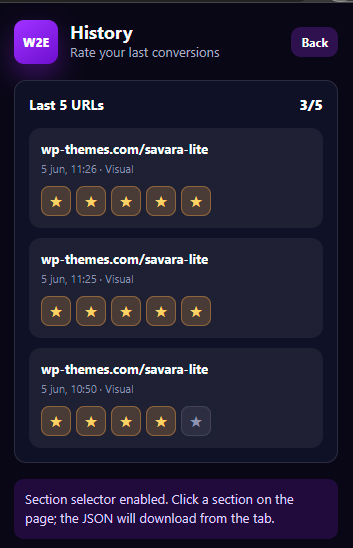
Paid users can rate recent conversions and ask support to review a failed conversion from the extension history.
Account protected
Conversions run through your Web2Elementor account, with credits handled securely by the Web2Elementor backend.
From browser tab to Elementor import.
The extension keeps the process short: scan, choose the right mode, convert, and continue editing in WordPress.
Open a page
Go to the website, landing page, or section you want to rebuild in Elementor.
Scan
The extension detects whether the page is Elementor and prepares the available conversion options.
Convert
Use the full page flow or select one section and send it through the visual path to convert the website to Elementor from Chrome.
Import
Upload the downloaded JSON into Elementor and polish the final details inside WordPress.
See the Chrome extension in action.
Watch the 69-second walkthrough: scan a live page, detect whether it is built with Elementor, capture a full page or a single section, and export an editable Elementor JSON file for WordPress.
 1:09 product demo
Install the extension and use your Web2Elementor credits.
Start with a free conversion, buy one-time credit packs, or choose a monthly subscription. Credits work across URL2Elementor, Img2Elementor, HTML2Elementor, and the Chrome extension.
Available now on the Chrome Web Store.
What you should know before converting.
Does it create a perfect clone of every website?
No automated converter can guarantee a perfect clone for every website. The goal is to create a strong editable Elementor starting point that saves hours of manual rebuilding.
Do I need Elementor Pro?
The conversion is designed around Elementor-compatible structures. Some original website features may be simplified when they rely on advanced scripts, private widgets, or unsupported effects.
Why use the extension instead of only the website converter?
Some pages depend on browser state, lazy loading, rendered HTML, CSS, or scripts that are hard to reproduce from a server fetch. The Elementor Chrome extension can read pages you are allowed to view in the active browser tab and convert the website to Elementor from Chrome.
Does the extension monitor my browsing?
No. It acts when you open the extension and scan or convert the current page. Conversion requests are processed through your Web2Elementor account and credit system.
Do credits work with the Chrome extension?
Yes. Web2Elementor credits work across the web tools and the Chrome extension, so you can use the same account for URL2Elementor, HTML2Elementor, Img2Elementor and browser-based conversions.
Can I convert only one section?
Yes. The section selector is built for cases where you only want one hero, pricing block, footer, card grid, or content section instead of a full page.
Not sure which workflow fits best?
Compare all Convert to Elementor options for websites, HTML, images, Gutenberg pages and Chrome.