
Claude website builderClaude built your website. We put it on WordPress.
Paste the HTML Claude gave you and get a WordPress site you edit in Elementor. Free to try.
 Caldera SuiteFrom $420 a night
 Breakfast on the terraceIncluded in every stay
 Private boat daysFrom $180 per person
Join 9,000+ users · over 8,000 pages converted to Elementor.
Web2Elementor is an independent tool, not affiliated with Anthropic. Claude is a trademark of Anthropic.
Quick answer: how to put a Claude website on WordPress
Claude can write a complete website, but it can't put it on WordPress: its links only open inside Claude. Click Download or Copy on your page in Claude, paste the code into Web2Elementor, and your site becomes WordPress pages you edit in Elementor. It takes about a minute, and Elementor Free is enough.
- An HTML page uses 2 credits. The free plan gives you 2 credits every 2 months.
- Several pages? Our WordPress plugin sets them all up at once, with your home page and menu.
- Forms and custom JavaScript don't carry over, and every conversion lists what was left out.
Watch an AI website become editable WordPress pages
71 seconds, start to finish: the HTML an AI tool wrote, imported into WordPress with our plugin and edited in Elementor.
How to Build a Website With Claude and Put It on WordPress
Ask Claude for your website
Describe your business and ask for a one-page website in a single HTML file. The prompt below gives the cleanest result.
Download or copy the code
Open the page Claude made and click Download or Copy. Claude's share links only open inside Claude, so the code is what you bring.
Paste it here
Paste the code, or upload the .html file, in the box at the top of this page and click Convert.
Edit it in WordPress
Your pages arrive as Elementor elements. Click any heading, image or button to change it, then publish. Elementor Free is enough.
From one Claude prompt to a WordPress site
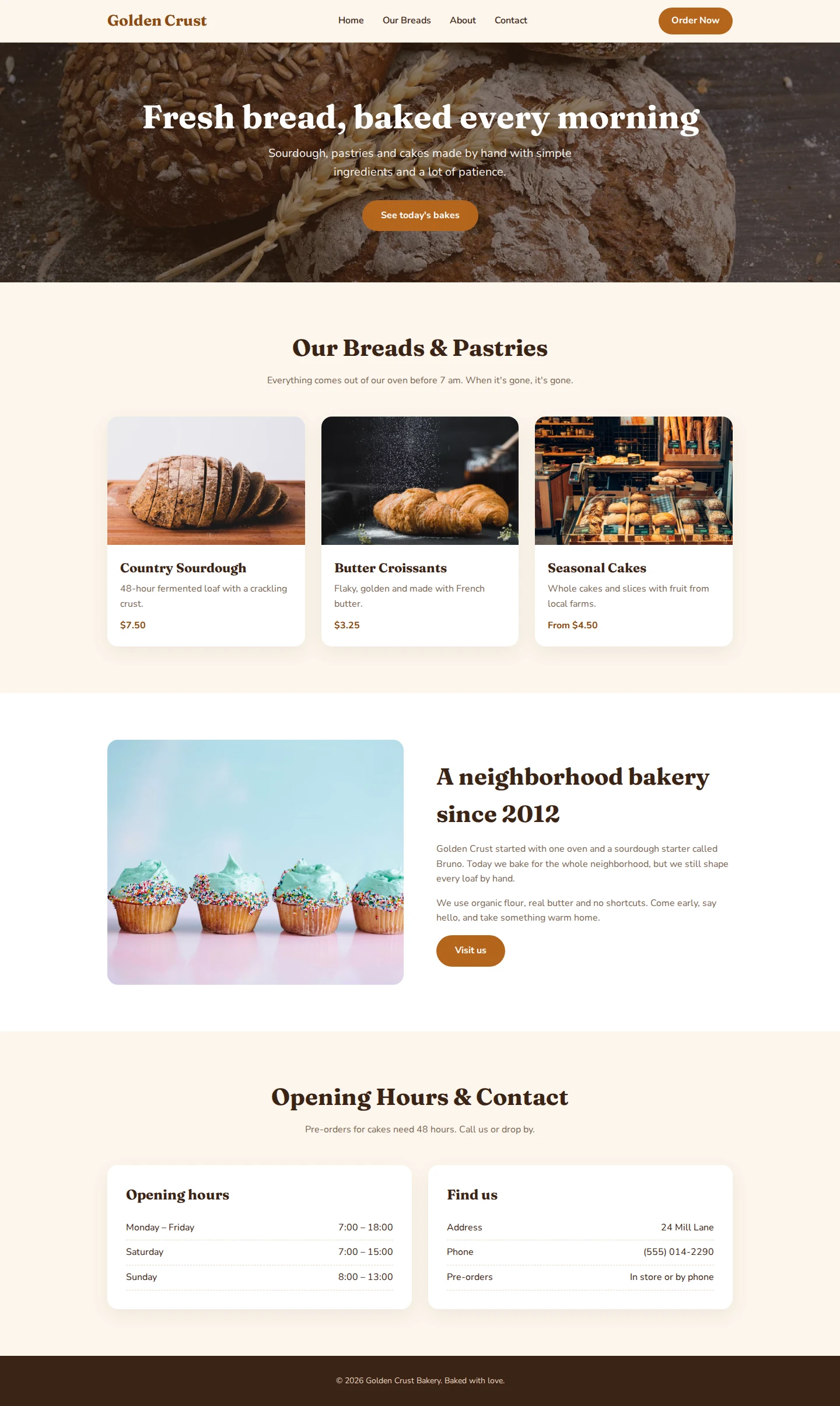
We asked Claude for a bakery website, pasted its answer into our WordPress plugin, and the site was live in WordPress about 12 seconds later: home page set, menu linked, and the ☰ menu working on phones.

The Claude prompt that works best
Change the bakery to your business and send it to Claude. These words give you the code Web2Elementor reads best.
- One HTML file with Tailwind CSS. It's exactly what our converter reads best, and there is only one file to bring.
- Full https:// image links. AI tools often write local names like images/bread.jpg, which can't load anywhere else. If that happens, nothing breaks: you get an image slot in each place and pick your photo in Elementor.
- No pop-ups or scroll animations. They don't become Elementor elements, so asking for them only adds code you won't keep.
Create a one-page website for my bakery, Golden Crust Bakery, in a single HTML file using HTML and Tailwind CSS. Use full image URLs from Unsplash (https:// links, not local files) and a top menu that links to each section. No pop-ups and no scroll animations.
Where to find your website's code in Claude
Claude keeps your site in a different place depending on where you made it. In all three, the code is one click away.
In a Claude chat
Open the page Claude made. Click Download to save the .html file, or Copy to copy the code.
In Claude Design
Export your design as one HTML file and upload it in the box at the top of this page.
With Claude Code
Your site is already on your computer. Upload its .html file, plus its .css file if the styles are separate.
Can't find the button? Ask Claude: “Give me the complete code of this website as one HTML file.”
Can Claude build a website? Yes. Here's what it can't do
Claude writes a complete website in HTML and CSS and shows you a live preview in seconds. What it doesn't give you is a place to run that site and a way to change it without writing another prompt. These are your options:
| Option | What you get | Edit it by clicking? |
|---|---|---|
| Share it from Claude | A link that only opens inside Claude | No. Every change is another prompt |
| Put the file on a static web host | Your file online at an address | No. It's still code: to change a word, you edit HTML |
| Paste it into a WordPress “Custom HTML” block | Code inside a WordPress page | No. It's one block of code that ignores your theme and menu |
| Web2Elementor | Real WordPress pages built with Elementor | Yes. Click any text, image or button and change it |
People turning AI-made pages into WordPress sites
7,000+ pages converted·8,000+ accounts
“I had a really smooth experience using Web2Elementor. I converted a full landing page URL, and honestly, I was impressed with how clean and structured the JSON output was. It was well-organized, accurate, and almost completely ready to use inside Elementor without needing major fixes. The layout, spacing, and sections matched very closely. What stood out the most was how much time it saved me. Normally, rebuilding a page like that manually in Elementor would take me 2–3 hours, but with Web2Elementor, I was able to get it done in under 10 minutes. That’s a huge productivity boost. Overall, it made my workflow faster, easier, and much more efficient. Definitely a game-changer for anyone working regularly with Elementor!”
“Web2Elementor saved me a lot of time. I converted a landing page URL, and the JSON output I received was very clean and almost identical to the original design. Normally, it would take me 2–3 hours to build it manually in Elementor, but with this tool, it was done in just 20–30 minutes. The layout, spacing, and sections were quite accurate — only minor adjustments were needed. Overall, it’s a very useful tool!”
“Web2Elementor has significantly streamlined my workflow. I used it to convert a complex medical clinic landing page from a PNG image, and I was blown away by how close the result was to the original—nearly 90% of the layout was spot on! I am particularly impressed by the speed and precision of the JSON template generation. This tool saved me at least 4 to 5 hours of tedious manual container adjustments and spacing. The resulting structure in Elementor was clean and well-organized. For anyone who values detail and efficiency, this tool is an absolute must-have. Highly recommended!”
Why Move Your Claude Website to WordPress
Every new request makes Claude rewrite the whole file, and on long pages it starts breaking things that already worked: a section disappears, colors drift, the menu stops working. In WordPress, a small change is one click in Elementor, and nothing else on the page moves.
And the site becomes yours: on your own domain, with a real CMS behind it for a blog, SEO plugins or a store when you need them.
- Edit by clicking in Elementor instead of prompting
- A real CMS: blog posts, SEO plugins, WooCommerce
- Add the next page from the same Claude chat
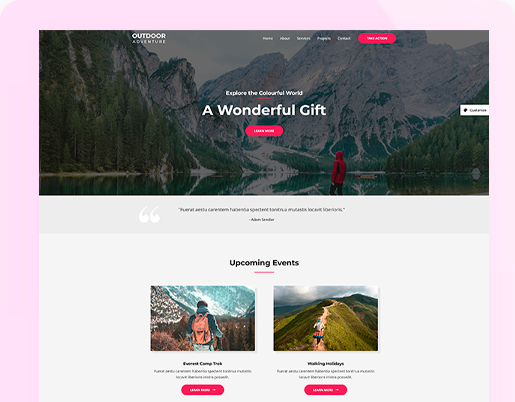
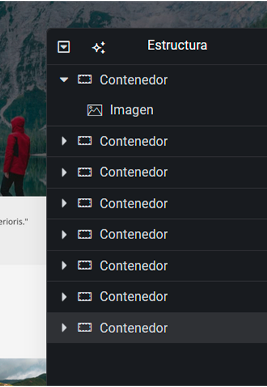



Three ways to bring your Claude site to WordPress
The same credits work in all three.
Paste it on this page
Paste the code or upload the file at the top of this page, download your Elementor template and import it in WordPress from Elementor → Templates.
Use the WordPress plugin
Install Web2 HTML Importer for Elementor and paste Claude's answer. It builds your pages, makes the first one your home page and links your menu. Several pages in one answer? It finds each one.
Use the Chrome extension
If your Claude site is already live at its own address, open it in Chrome and convert the page you're viewing to Elementor, whole or section by section.
Plans & Pricing
Credits work across all Web2Elementor tools, the Chrome extension and the WordPress plugin.
- Up to 6 editable Elementor pages
- Use them in every tool, the Chrome extension and the WordPress plugin
- Pay once — credits never expire
- Failed pages are never charged
- Up to 16 editable Elementor pages
- Use them in every tool, the Chrome extension and the WordPress plugin
- Pay once — credits never expire
- Failed pages are never charged
- Up to 26 editable Elementor pages
- Use them in every tool, the Chrome extension and the WordPress plugin
- Pay once — credits never expire
- Failed pages are never charged
1 credit = 1 page from a website URL, Elementor or Gutenberg · 2 credits = 1 page from HTML, an image, Wix, Squarespace or Lovable.
Claude Website Builder FAQ
Yes. Claude writes a complete website in HTML and CSS and shows you a preview in the chat. To turn it into a site you can edit, bring its code to WordPress: paste it here and your pages arrive as Elementor elements.
Not on its own: Claude writes code, not WordPress pages. Paste that code into Web2Elementor, or into our WordPress plugin, and it becomes WordPress pages built with Elementor that you edit by clicking.
Claude's links only open inside Claude, and new artifacts ask visitors to sign in to Claude even when they are shared with anyone who has the link. Open your page in Claude, click Download or Copy, then upload the file or paste the code here.
Open the page Claude made and click Download to save an .html file, or Copy to copy the code. In Claude Design, click Export, then Export as standalone HTML. If you don't see a button, ask Claude: “Give me the complete code of this website as one HTML file.”
Paste HTML, not React code. Ask Claude: “Rewrite this website as one HTML file with Tailwind CSS, without React,” then paste the new code here.
No. Elementor Free is enough. The recommended template uses Elementor 4.3 or later, and your download also includes a version for Elementor V3.
Yes. Every heading, text, image and button is an Elementor element: click it and change it, without code and without asking Claude again.
Images with full https:// links keep loading. If Claude used local file names like images/bread.jpg, you get an image slot in each place and pick your photo in Elementor.
On this page, convert one page at a time. With our WordPress plugin you can paste Claude's whole answer: it finds every page and sets them all up at once, each with its own address.
Forms arrive as their fields without the sending logic, and custom JavaScript such as pop-ups or scroll effects doesn't carry over. Each conversion lists exactly what was left out.
You can try it free: the free plan gives you 2 credits every 2 months, enough for one HTML page. After that, credit packs start at $9.90 and their credits never expire.
No. Web2Elementor is an independent tool, not affiliated with Anthropic or Elementor. Claude is a trademark of Anthropic.
Built your site with another AI tool?
Any HTML works the same way. Pick the page for your tool:
Explore Convert to ElementorConvert Sites Built on Any Platform