

Research assistant

AI Chat

Text Citations

MLA & APA Citations

Reference Finder

AI Feedback
Convert HTML to an Elementor Template in 3 Steps
Use the online HTML to Elementor converter to turn pasted code into a native Elementor template workflow: paste, generate, import, and keep editing inside WordPress.
Paste your HTML
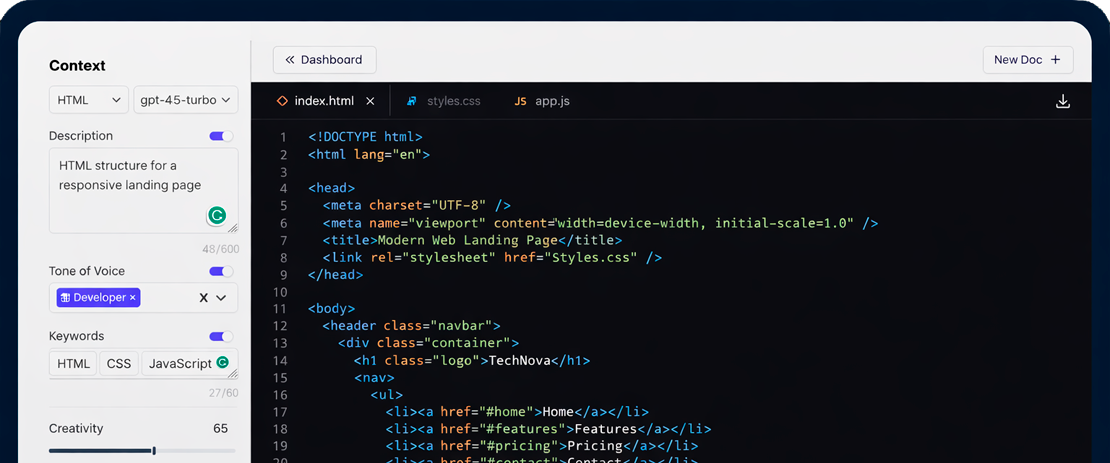
Copy any HTML snippet - a navbar, hero, footer, or full page - and paste it into the editor.
Generate an Elementor layout
Our online HTML to Elementor converter reads your structure, CSS, colors, and typography and maps them to editable Elementor widgets.
Import the JSON into WordPress
Download the Elementor JSON template, import it into WordPress, and continue editing the page visually with Elementor.
Convert HTML to Elementor JSON Seamlessly
Elementor uses JSON files to import and export templates natively. Web2Elementor converts your raw HTML and CSS into an editable Elementor JSON file so you can import the layout into WordPress and keep working visually.
Tweak Colors, Text & Layout Before JSON Export.
Click on any element in the preview to edit text, swap colors, resize sections, and adjust spacing before downloading the Elementor JSON template for WordPress.
Tell the AI What to Change. It Rewrites the Whole Section.
Not happy with a section? Just describe what you want - "make the hero darker", "change the CTA copy", "add a features grid" - and the AI will regenerate it instantly, keeping the rest of your design intact.
When It Looks Perfect, Export Elementor JSON in One Click.
Once you're happy with the design, hit Export and download your Elementor JSON file. Import it directly into any WordPress site and keep editing with Elementor Free or Pro.

Online HTML to Elementor Converter
Paste HTML blocks, Bootstrap components, Tailwind sections, CodePen snippets, or full template fragments and convert them into editable Elementor containers and widgets.
Hero Sections
Paste a hero HTML block and convert it into a full-width Elementor container with headings, images, and CTA buttons.
Headers & Navbars
Convert any navigation bar HTML into an editable Elementor header with logo, menu links, and responsive layout.
Sidebars
Transform sidebar HTML into reusable Elementor widget areas with categories, recent posts, and custom filters.
Footers
Import footer HTML with links, social icons, and copyright columns directly into an Elementor footer template.
Pricing Tables
Turn Bootstrap or custom pricing HTML into editable Elementor price boxes with all plan tiers and features.
Card & Grid Layouts
Convert feature cards, team grids, or product listings from HTML into native Elementor columns and widgets.
Work with HTML often? Use the HTML to Elementor Chrome Extension
Capture the HTML, layout and styles of the page you are viewing, then export an editable Elementor JSON file without leaving Chrome. It is useful when you want to reuse a live section, inspect a design reference, or start from rendered browser HTML instead of copying code manually.
Plans & Pricing
Credits are shared across URL to Elementor, Image to Elementor, HTML to Elementor and the Chrome extension.
- 1 use every 2 months
- Simple visual editor
- Export Elementor JSON
- Chrome extension included (1 use)
- Export header, content & footer as ZIP
- 20 monthly credits
- All conversion tools included
- Chrome extension included
- Export header, content & footer as ZIP
- For hobby projects and occasional conversions
- 40 monthly credits
- All conversion tools included
- Chrome extension included
- Export header, content & footer as ZIP
- For developers and freelancers
- 80 monthly credits
- All conversion tools included
- Chrome extension included
- Export header, content & footer as ZIP
- For agencies and client production work
Trusted by 500+ users
Frequently Asked Questions
Yes. Web2Elementor is an online HTML to Elementor converter that lets you paste HTML and CSS in the browser, generate an editable Elementor layout, and export an Elementor JSON file for WordPress. It works for components, sections, and full template fragments.
Yes. The converter creates an Elementor JSON template that you can import into WordPress and continue editing visually with Elementor. The export is designed for native Elementor containers and widgets where possible, not a static screenshot.
Yes. You can paste full HTML sections, template blocks, Bootstrap components, Tailwind snippets, or CodePen experiments and convert them into editable Elementor containers and widgets. Include the matching CSS for better layout, colors, fonts, spacing, and background accuracy.
After conversion, download the Elementor JSON file. In WordPress, open Elementor, click the folder icon, choose Import Template, and upload the JSON. The layout is then editable visually with Elementor Free or Pro.
Absolutely. you can paste HTML from any source - CodePen experiments, Bootstrap components, Tailwind UI blocks, free HTML templates, or even code generated by ChatGPT. Just make sure to include the relevant CSS (inline or in a <style> tag) so the converter can read the styles. The AI handles the rest, converting layout classes and styles into Elementor's native container system.
Yes. The Web2Elementor Chrome Extension lets you capture the page you are viewing from Chrome and start an Elementor conversion without copying and pasting URLs manually. It uses the same Web2Elementor account and shared credits.
No. The generated JSON uses standard Elementor containers and widgets - headings, text editors, images, buttons, spacers, and dividers - which are all available in the free version of Elementor. Just open the Elementor editor on any page, click the folder icon, select "Import Template", and upload the JSON file. It works with both Elementor Free and Pro.
Yes. You can try HTML to Elementor with the free plan, which includes 1 use every 2 months. If you need more conversions, choose a monthly subscription or buy pay-as-you-go credits. Credits are shared across all Web2Elementor tools and the Chrome extension.
Need another source type?
Explore all Convert to Elementor tools for websites, images, Gutenberg pages, Chrome, and HTML workflows.
Explore Convert to ElementorConvert Sites Built on Any Platform