


How to Convert Lovable to Elementor
Paste a Lovable URL
Any published .lovable.app project or its custom domain. No code export, no GitHub sync: the converter reads the live page.
Rendered in a real browser
Lovable ships a React app whose page is built by JavaScript at runtime. We render it first in a real browser, at desktop and mobile widths, and read the final result — which is why plain HTML scrapers fail here.
Download the Elementor JSON
One ZIP with the Elementor JSON and a clear list of what the conversion does not carry.
Import & edit in Elementor
In WordPress, go to Elementor → Editor → Templates → Saved Templates, click Import Templates, upload the JSON and insert it into a page. Native Elementor containers and widgets, editable like any page you built by hand.

What Lovable Content Converts
Sections and containers with their backgrounds, headings and paragraphs with their real typography and colors, images at full resolution downloaded and rehosted in your own WordPress media library, buttons with their hover state, grids, cards and navigation menus. The page is measured in a real browser after React has rendered it, so what converts is what your visitors actually see.
And what does not carry over is written down. React interactivity travels as the static state the page serves — a form arrives as its fields without the submit logic, an animated section as its final layout — and anything wired to a Supabase or external backend converts as the visible frontend only. Every conversion ships the exact list for your page, so you know before you import.
Is There an Automatic Lovable to WordPress Converter?
Yes — this converter turns any published Lovable page into an Elementor file automatically. Paste the URL, download the JSON, import it into WordPress and keep editing. No manual rebuilding, no code export.
Until now the honest answer was no. Lovable has no WordPress export — taking the code out means syncing GitHub and rebuilding it as a theme by hand — and every guide describes the move as manual work: rebuilding sections one by one in Elementor, hiring a conversion service, or settling for tools that output a locked theme or Gutenberg blocks instead of editable Elementor. Page-builder JSON imports were said not to work with Lovable’s output at all.
This converter closes that gap. It opens your published Lovable page, waits for React to render it, measures it at desktop and mobile widths, and writes an Elementor file with native containers and widgets — the layout, the typography, the colors and the images already in place. You import it into WordPress and carry on editing.
Why Move From Lovable to WordPress
Lovable is great for shipping fast and limiting when the site has to grow. Your site lives inside Lovable’s hosting and subscription, the design is React code you cannot edit visually, and there is no CMS behind it. Your content is there, but it is not portable.
And the design stops being a rental. What you download is a JSON file: your page, in a portable format, that you can import today, duplicate as a starting point tomorrow and keep even if you change host, agency or theme. Converting is not leaving a tool behind — it is taking your work with you.
- Visual editing in Elementor instead of prompting for every change
- A real CMS: posts, SEO plugins, WooCommerce when you need it
- Your page as a JSON file that is yours to keep
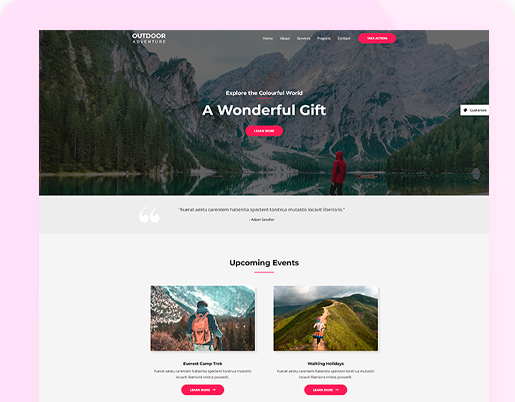
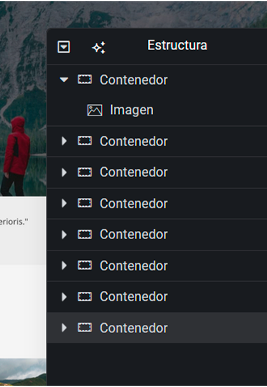



Makers converting their pages to Elementor
7,000+ pages converted·8,000+ accounts
“I had a really smooth experience using Web2Elementor. I converted a full landing page URL, and honestly, I was impressed with how clean and structured the JSON output was. It was well-organized, accurate, and almost completely ready to use inside Elementor without needing major fixes. The layout, spacing, and sections matched very closely. What stood out the most was how much time it saved me. Normally, rebuilding a page like that manually in Elementor would take me 2–3 hours, but with Web2Elementor, I was able to get it done in under 10 minutes. That’s a huge productivity boost. Overall, it made my workflow faster, easier, and much more efficient. Definitely a game-changer for anyone working regularly with Elementor!”
“Web2Elementor saved me a lot of time. I converted a landing page URL, and the JSON output I received was very clean and almost identical to the original design. Normally, it would take me 2–3 hours to build it manually in Elementor, but with this tool, it was done in just 20–30 minutes. The layout, spacing, and sections were quite accurate — only minor adjustments were needed. Overall, it’s a very useful tool!”
“Web2Elementor has significantly streamlined my workflow. I used it to convert a complex medical clinic landing page from a PNG image, and I was blown away by how close the result was to the original—nearly 90% of the layout was spot on! I am particularly impressed by the speed and precision of the JSON template generation. This tool saved me at least 4 to 5 hours of tedious manual container adjustments and spacing. The resulting structure in Elementor was clean and well-organized. For anyone who values detail and efficiency, this tool is an absolute must-have. Highly recommended!”

The Advantages of Moving to the WordPress Ecosystem
WordPress runs a large share of the web, and that is not a trophy: it is the reason everything you may need already exists for it. Over 60,000 plugins, WooCommerce for selling, SEO tools that actually let you control every tag, and a professional in every city who can pick up your site tomorrow.
And above all, it is yours. Your hosting, your domain, your database, your files: no platform can change the rules, the price or the features of the site you already built. Moving from Lovable to WordPress with Elementor means the same page, under your own roof.
- Real ownership: your hosting, your domain, your content
- 60,000+ plugins and WooCommerce when you need to sell
- SEO you control, down to every tag
- No mandatory monthly platform subscription
Lovable Conversion Pricing
Lovable conversions use 2 credits — the page is rendered and measured in a real browser at desktop and mobile widths. You need WordPress with Elementor Free, latest version; Elementor Pro is not required. Credits are shared across Lovable to Elementor, Wix to Elementor, Squarespace to Elementor, Gutenberg to Elementor, URL to Elementor, Image to Elementor, HTML to Elementor and the Chrome extension.
- 2 free credits every 2 months (1 Lovable page)
- Preview before export
- Export Elementor JSON
- Chrome extension included (same credits)
- Export header, content & footer as ZIP
- 20 monthly credits
- All conversion tools included
- Chrome extension included
- Export header, content & footer as ZIP
- For hobby projects and occasional conversions
- 40 monthly credits
- All conversion tools included
- Chrome extension included
- Export header, content & footer as ZIP
- For developers and freelancers
- 80 monthly credits
- All conversion tools included
- Chrome extension included
- Export header, content & footer as ZIP
- For agencies and client production work
Lovable to Elementor FAQ
Yes. Paste the URL of a published Lovable page and Web2Elementor converts it into an Elementor JSON file. It opens the page in a real browser, waits for React to render it, measures it at desktop and mobile widths and rebuilds it with native Elementor containers and widgets, so you can keep editing it in WordPress.
Four steps: install WordPress with Elementor, paste your published Lovable page URL here, download the ZIP with the Elementor JSON, and import it into a WordPress page. Repeat for each page. Your custom domain moves with a DNS change, so you keep it.
Yes — Web2Elementor turns any published Lovable page into an Elementor file automatically: paste the URL, download the JSON, import it into WordPress and keep editing. Lovable itself has no WordPress export, which is why every guide still describes the move as manual rebuilding.
No. The converter works from your published URL — yourproject.lovable.app or your custom domain. You never touch the code, GitHub or Supabase.
Yes. Any publicly reachable published Lovable page works, whether it lives on yourproject.lovable.app or on your own custom domain.
Forms arrive as their fields without the submit logic, so you reconnect them with the WordPress form plugin you prefer. React interactions such as tabs, modals and animations arrive as the static state the page shows once it has loaded, and every conversion lists exactly what did not carry over.
The converter converts the visible frontend: the layout, the text, the images and the styles your visitors see. Supabase tables, authentication and app logic do not move to WordPress — if your Lovable project is a full app, this converts its pages, not its backend.
No. The free version of Elementor is enough, but you need Elementor 4.3 or later. Update Elementor from Plugins → Installed Plugins before importing. For a header and footer on every page without Pro, use a free header and footer plugin.
A ZIP with two files: the Elementor JSON you import into WordPress, and a plain text list of what this conversion does not carry for your specific page.
Two credits. It is a high fidelity conversion: the page is rendered and measured in a real browser at desktop and mobile widths instead of being approximated. Credits are shared with the other Web2Elementor converters.
No — native, editable Elementor containers and widgets, with images rehosted on your own server. You edit it like any page you built by hand.
Yes. The import is a regular Elementor template: insert it into any page and edit every container, text, image and button like a page you built yourself.
Need to convert websites, HTML or images too?
See all Convert to Elementor options and pick the workflow that matches your source.
Explore Convert to ElementorConvert Lovable Pages to WordPress